Say Goodbye to That Check Engine Light (DTC)!
Don’t let that annoying orange light on your dashboard ruin your day anymore. Autista App works perfectly with your ELM327 device, allowing you to read and clear error codes directly from your car’s brain (ECU) in just seconds.
Why use Autista to clear error codes?
Save on Service Costs: Stop paying expensive shop fees just to turn off a simple warning light.
Find the Root Cause: Don’t just wipe it; understand the “why” behind the code (like P0101 or P0300) and get to the bottom of the problem.
Instant Fix: On a road trip or in an emergency? Reset temporary glitches affecting your car’s performance and get back on the road instantly.
⚠️ Important Notes for a Safe Reset
Our error code clearing feature is designed with professional precision. For the best results:
Ignition On, Engine Off: Make sure your ignition is in the “On” position, but the engine is not running while clearing codes.
It’s Not a Magic Fix: Clearing a code doesn’t physically repair a broken part. If a mechanical issue persists, your car’s computer will detect it and the light will come back on.
Data Reset: Please note that clearing codes will also wipe the “Freeze Frame” data (the snapshot of your car’s stats at the exact moment the error occurred).
“With Autista, carry a professional mechanic in your pocket. Understand your car better than anyone else.”
Experience your vehicle like never before with Autista.
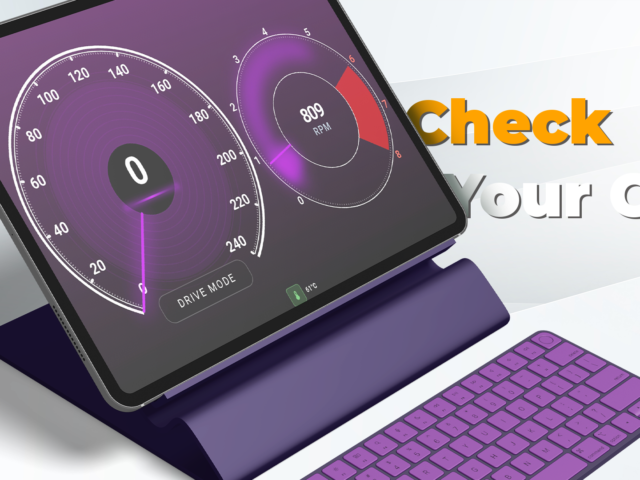
This main dashboard gives you real-time access to essential driving data through a clean, modern interface. Instantly monitor your speed, RPM (engine revolutions), and key performance metrics, all visualized with smooth, dynamic gauges designed for clarity and precision.
With seamless OBD Bluetooth connectivity, Autista transforms your mobile device into a powerful vehicle monitoring system. Whether you’re driving in the city or on the highway, you stay fully informed about your car’s performance at a glance.
The intuitive layout ensures that critical information is always within reach, while the top-right menu provides quick access to settings, advanced features, and additional tools tailored to your driving needs.
Autista is built for drivers who want more control, more insight, and a smarter driving experience.
Take your driving insights to the next level with Autista’s Analytics Dashboard.
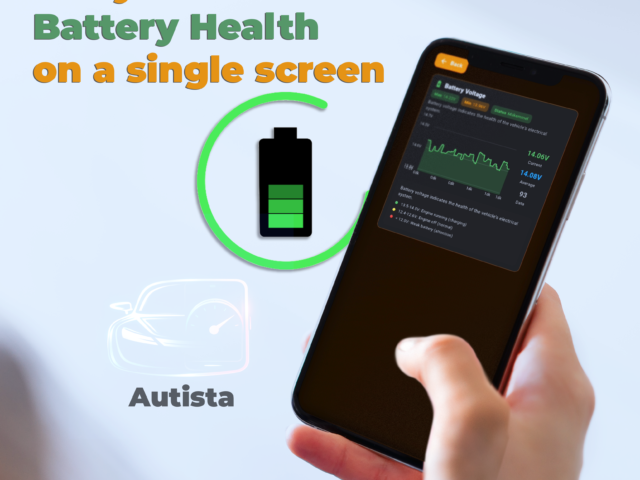
This page transforms your driving data into meaningful charts, graphs, and detailed analysis, helping you better understand your vehicle’s performance and your driving habits. Track trends in speed, RPM, fuel efficiency, and engine behavior over time with clear and interactive visualizations.
Whether you want to optimize fuel consumption, detect unusual patterns, or simply review your past trips, Autista provides you with the tools to make smarter decisions. Every journey becomes measurable, comparable, and improvable.
With an intuitive design and powerful data processing, the analytics screen turns raw OBD data into actionable insights—giving you full control over your driving performance.
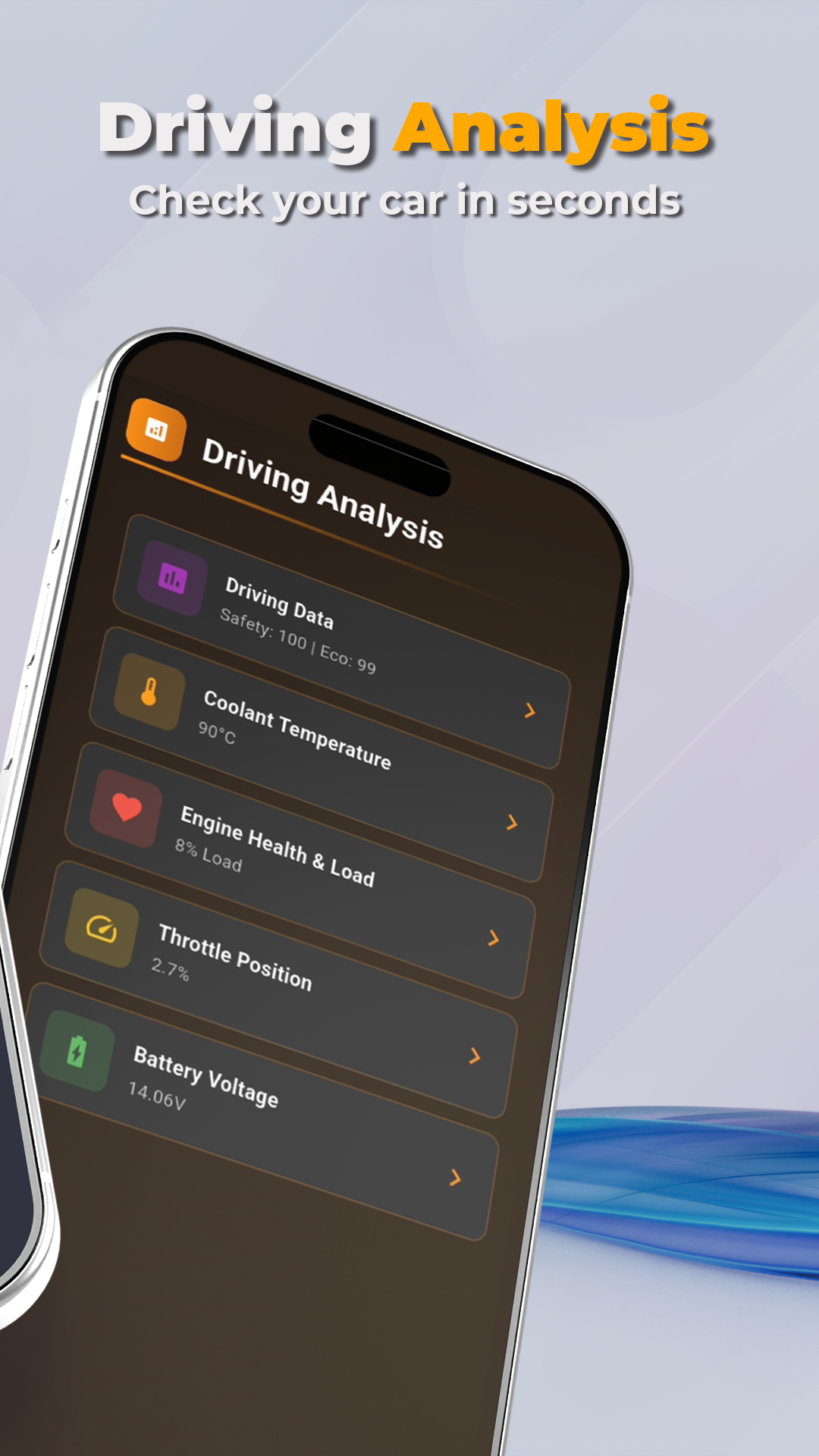
Access every detail of your vehicle with the All Data screen in Autista.
This page brings together all available OBD information in one place, giving you a complete overview of your car’s real-time status. Monitor critical values such as engine temperature, fuel system data, sensor readings, battery voltage, and much more—all presented in a clear and organized layout.
Designed for users who want full transparency, the All Data page allows you to dive deeper into your vehicle’s performance beyond basic metrics. Whether you’re diagnosing an issue or simply exploring your car’s data, everything you need is right here.
With Autista, you’re not just driving—you’re fully connected to your vehicle.
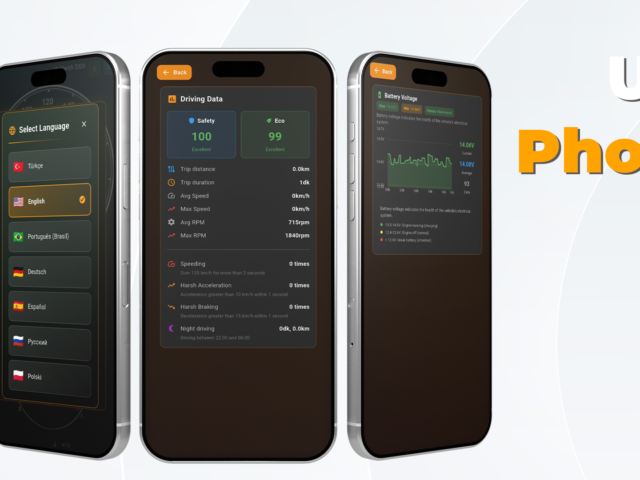
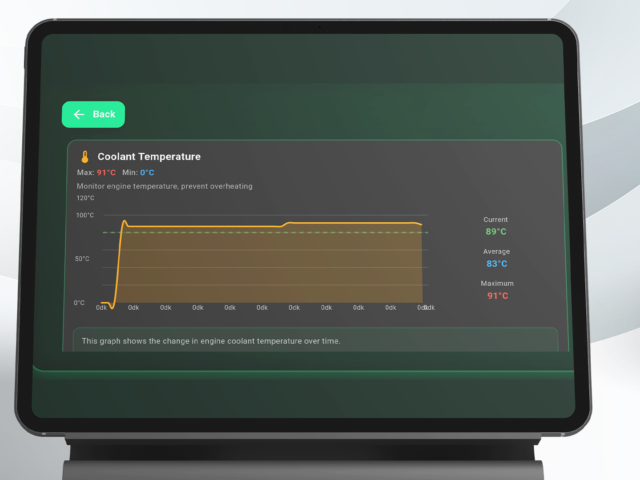
Customize your experience with the Settings page in Autista.
This section gives you full control over how the app looks and works. Easily switch between different theme colors to match your style, manage your Bluetooth connection settings for a stable and seamless OBD experience, and change the app language to suit your preference.
Everything is designed to be simple and intuitive, so you can adjust your setup in seconds without interrupting your driving flow.
With flexible settings and user-friendly controls, Autista adapts to you—so you can focus on what matters most: your drive.
Stay in control of your vehicle’s health with the Sensor Data page in Autista.
This screen allows you to query and monitor all data coming directly from your vehicle’s sensors in real time. Check whether each sensor is active, responsive, and operating correctly, and instantly spot any irregularities.
From temperature and pressure sensors to oxygen and airflow readings, every detail is presented clearly to help you understand how your vehicle is performing at a deeper level.
Whether you’re troubleshooting a potential issue or ensuring everything runs smoothly, the Sensor Data page gives you the confidence that every component is working as it should.